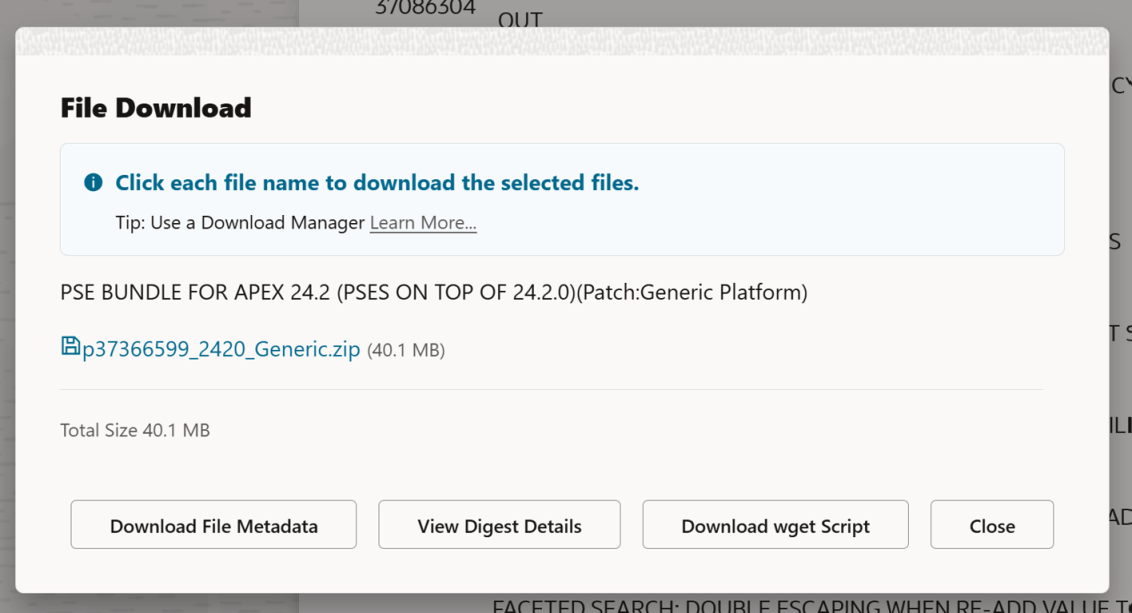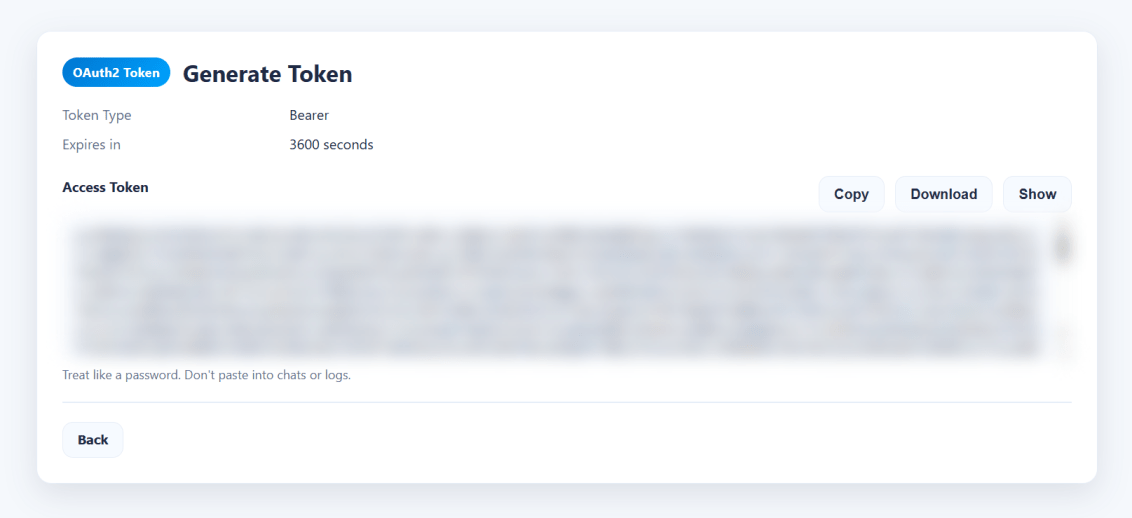
In the past, it was pretty easy to download a file from Oracle Support using the provided wget.sh script when clicking the Download button on a patch. The Download wget Script button above would have given you everything you need to download (in this case, the APEX 24.2 latest update), a patch. You’d copy that wget file to your server, run it, and your patch would magically appear on your server.
Recently, Oracle decided to require an access token in addition to the wget.sh script to download files. However, the wget.sh script doesn’t give you any indication of how to get that download token.
When you are logged into Oracle Support, you can get a ‘short lived’ download token that will make everything work. The trick is to use this URL to get it:
Now, on your server, you can copy the token into a token.txt file and then tell the wget.sh script where that file is using the -T argument, or you could just paste the whole key directly into the command line using the -t argument.
INFO: Output dir not specified, defaulting to current directory.
ERROR: Missing token. Provide -t <token> OR -T <token_file>.
wget.sh Help?
So, let’s see if we can get some help… Despite the ERROR: Unknown option: -help message, we do get some kind of output… But we DON’T get the necessary URL to get a token from Oracle Support.
For me, there was another issue (bug?) in that when I ran the above command, my terminal window suddenly just closed. When I created a new terminal shell and changed back into my download directory, the files were there. To get the output (I was curious), I redirected the output into a file like so:
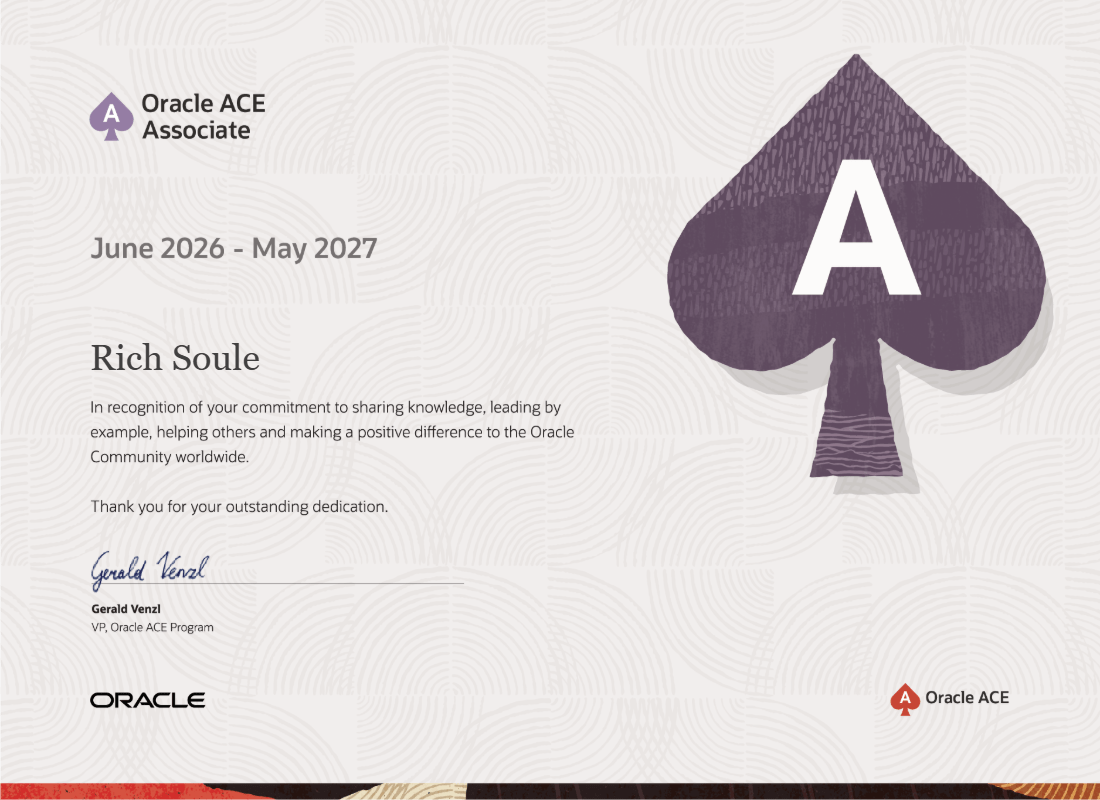
I’ve been working with Oracle for a LONG time (since the early ’90s, you know, the previous century) and it’s great to be recognized for my contributions to the community.
Special thanks to Louis Moreaux for the nomination.
Few debates in database design spark as much disagreement as what to name a surrogate key. There has been a debate over the years about the name of that column, and it generally falls into two choices:
Every table that has a surrogate key should name the column ID.
Every table that has a surrogate key should name the column TABLE_ID.
I have very strong opinions about this debate, born out of over 35 years of building database-backed business applications.
My sincere belief is that every surrogate key should be prefixed with the table name. No, I’m not going to fall for the straw man argument that any of the other columns in a table should be prefixed with the table name. The surrogate key is special.
The ID folks try to make some of the following arguments:
It is short and universal. You don’t have to think as much.
If you are using an ORM (Object-Relational Mapping framework like Hibernate for example), you don’t have to do the incredibly simple thing of updating the ORM to expect table_id instead of just id, because most ORMs default to just ID. Of course, they don’t say it that way; they just say “Our ORM expects ID.”.
We already have tables that just use ID, so we should stick to that standard.
And.. That’s it. Now, sometimes folks will talk about already having to prefix column names in select clauses, and employee.employee_id is redundant, but the reality is that you are almost certainly going to alias the employee table name as either e or maybe emp, you’re never really going to type employee.employee_id.
So, why are the ID folks wrong?
To me, the biggest, most fundamental thing is this:
You have a thing in the database, and you are calling it two different names depending on where it is located
If we have an employee table with an ID column as a surrogate key, whenever we use that surrogate key in another table as a foreign key, we typically put the table name in front of it. So ID in the employee table, and then EMPLOYEE_ID as a foreign key in any table related to the employee table.
If we call this thing EMPLOYEE_ID in the employee table and EMPLOYEE_ID whenever we use it as a foreign key (and yes, I am aware this thing could have another name when used in a different context, for example, MANAGER_ID), then it has the same name everywhere it is used.
It also goes the other way, in that you have hundreds of things named ID, but they are all different things in different tables.
This puts to rest the “It’s short and universal, you don’t have to think as much” argument because you end up thinking more every time you access the table joined to another table.
I strongly believe that the ID to EMPLOYEE_ID naming convention is a cognitive tax that must be paid over and over again.
However, there are a host of other reasons why table_id is the right way to go…
ID as a surrogate key means you are unable to join tables with a USING clause
I totally understand that some people don’t like the USING clause, but I find it very nice.
select ...
from department d
join employee e using(department_id);
The above is much cleaner, contains fewer opportunities for mistakes, and is easier to read compared to the below.
select ...
from department d
join employee e on d.id = e.department_id;
There are so many ways to make mistakes in the 2nd statement compared to the first statement. Now make this an 8-way table join, and the fun just compounds!
Clarity in queries
Surrogate key names now carry meaning without qualification, which is great in SQL, views, etc.
Self-joins are clearer
where manager_id = employee_id
reads better than
where manager_id = id
Bridge tables read naturally
Associative tables like employee_project(employee_id,project_id, ...) are self-documenting and enable USING clauses in both directions.
Grepability/searching/diagnostics is much easier
Searching logs or code for where a given entity flows is much harder if every table has a column named ID. Sometimes ID means EMPLOYEE_ID, sometimes ID means DEPARTMENT_ID, etc.
REST APIs and JSON payloads are going to read better
Your API contracts and/or JSON payloads are probably going to use EMPLOYEE_ID and DEPARTMENT_ID anyway.
But wait, what about our tables that already use ID?
We’ve already discussed the cognitive tax when using ID, and, given the choice, I’d remove that cognitive tax on all new tables in the database. With old tables that used ID, there are some choices:
Bite the bullet and do the rename of the column, and then update all your applications (APEX makes this pretty easy to find and replace those references) and source code (ALL_SOURCE & ALL_VIEWS). This could be a big project, but the tools are all there. You could do a big bang approach and do everything at once, or do it over time, table by table.
Create a view on top of the legacy tables that does the rename of the ID column to TABLE_ID, and have new applications and code use the view.
Rename the table and the column, and then create a view on top with the old table name that maintains the legacy ID name.
In conclusion
The surrogate key naming decision may seem small at first, but in practice, it touches every query, every log, every API contract, and more. Prefix your surrogate keys (and ONLY your surrogate keys). Your future self, your team, and your database will thank you.
I’m a bit of a database pureist. I believe that if you are building a system that will capture information for a business or organization, and that information matters to the business, then you should build the tables that will support the insert, update, and delete of information in third normal form (at least, there are additional normal forms) and the best way to figure out how those tables should be built is to work directly with the business by building an Entity Relationship Diagram (note: a Table Diagram is NOT an ERD!) and getting business by-in before you start creating tables.
A frequent business requirement is “We’d like to know by who and when information was created or updated.” Traditionally, we have added four columns to our tables to do this: CREATED, CREATED_BY, UPDATED, and UPDATED_BY. As an aside (I have a feeling there will be a lot of them in this post), I despise when folks do CREATED_DATE, and UPDATED_DATE. You don’t do NAME_VARCHAR2!
Oracle Quick SQL, built into Oracle APEX, builds these same traditional columns on your tables if you ask it to, and then they build a BUI (before update or insert) trigger on the table. Note, I think that a BUI trigger is “wrong” since we’ve had compound triggers in the database since Oracle 11g, and that every table that has normal triggers (basically, if you are not using Edition Based Redefinition) should only have a single trigger, and it should be a compound trigger.
That said, quick SQL builds a trigger that looks like this:
create or replace trigger employee_biu
before insert or update
on employee
for each row
begin
if inserting then
:new.created := sysdate;
:new.created_by := coalesce(sys_context('APEX$SESSION','APP_USER'),user);
end if;
:new.updated := sysdate;
:new.updated_by := coalesce(sys_context('APEX$SESSION','APP_USER'),user);
end employee_biu;
/
As a purist, I have always hated that the trigger always populates the UPDATED and UPDATED_BY columns even on the first insert. To me, those columns should only be populated if the row was actually updated, since that is the name of the columns. By populating them all the time, if you want to answer the question “How many rows have actually been updated?”, you will need to compare (let’s use a table with a hundred million rows) a hundred million values:
select count(*)
from sometable
where created != updated;
In addition, you are going to store extra stuff that you don’t really need. Instead, I believed (notice the past tense!), those columns should be nullable and should only be populated if you actually update the column. A hundred million row table with only seven updated rows and an index on updated would be worlds faster than a table that stores all these needless UPDATED and UPDATED_BY by values.
Now, because we have a nullable column, we do introduce the “issues” that come along with a nullable column. You’ll need to use NVL or, even better, COALESCE every time you look at the column, and if you forget, you can end up with bugs. The number of bugs that nulls give us in systems is pretty large. But, because you did things “right” (you didn’t needlessly populate a column that didn’t need to be populated), you would be aware of this, and you wouldn’t fall prey to those bugs.
However, a recent conversation with Anton Nielsen convinced me to update my perspective.
At first, Anton tried to make the argument that every insert is an update too. I wasn’t buying that argument at all. He, of course, brought up all the issues with a nullable column and indexes on virtual columns (Why not add a virtual column that is a COALESCE(UPDATED,CREATED) as LAST_TOUCHED?), etc. But the thing that really convinced me was this:
“In all my years of building applications the business people always ask ‘Who touched this row last?’, they never ask ‘How many rows were touched after they were created?’.”
Anton Nielsen
Maybe those columns should have been called LAST_TOUCHED and LAST_TOUCHED_BY (and, indeed, if you are going to populate them on insert, they really should be), but we can fix this by adding a comment to the UPDATED and UPDATED_BY columns:
comment on column employee.updated is 'Populated during row creation and whenever the row is updated. Effectively that makes this column the LAST_TOUCHED column.';
comment on column employee.updated_by is 'Populated during row creation and whenever the row is updated. Effectively that makes this column the LAST_TOUCHED_BY column. This is set to the current APEX user or the database user depending on the context.';
Indexes are now owned by the table owner rather than the DBA running the script.
All missing indexes are created in a single tablespace named “missing_foreign_key_indexes”. Obviously, this tablespace needs to exist for the statements to work. You might want to change this clause to use “your user’s index tablespaces”, and you should drop this if you are on Oracle Autonomous on Oracle Cloud, since you only get one tablespace for your stuff and everything will automatically go to it.
There are suggestions for making shorter index names if needed/wanted.
The “local” clause was added for partitioned tables.
You can optionally require validated foreign keys, valid indexes, and visible indexes. Today’s invalid or invisible index can turn into tomorrow’s index, so I left the default to show all indexes.
We are now sorting numerically.
Change “select *” into “select username” for the not in clause that eliminates users.
Added a where clause to find missing indexes by default.
Again, here’s the formatted code that doesn’t look great, but if you copy it, it should be formatted as it is in the above picture.
-- Created by Rich Soule of Talan's Oracle Group in collaboration with Lance Eaton.
--
-- Notes:
-- * Can ignore unusable/invisible/bitmap indexes; prefers NORMAL (and function-based NORMAL) b-trees
-- * Emits LOCAL for partitioned child tables
-- * change 'missing_foreign_key_indexes' tablespace to taste (or drop on Autonomous)
-- * if you want to shorten the index names, you can replace the two lines with comments below with something like: 'missing_fk_index'||rownum
-- * designed to be run by a DBA with access to the DBA views, but can also be run by a regular user by replacing the dba_ views with
-- all_ views or user_ views (search and replace dba_ with all_ or user_)
with owner_exclusion_list as ( select username from dba_users where oracle_maintained = 'Y'
union all select 'ORDS_METADATA' from dual
union all select 'ORDS_PUBLIC_USER' from dual )
, constraint_column_list as ( select owner
, table_name
, constraint_name
, listagg(column_name, ', ') within group (order by position) as constraint_column_list
from dba_cons_columns
join dba_constraints using (owner, table_name, constraint_name)
where constraint_type = 'R'
and status = 'ENABLED'
-- and validated = 'VALIDATED' -- uncomment to require validated fks
and owner not in (select username from owner_exclusion_list)
group by owner, table_name, constraint_name )
, index_column_list as ( select di.owner
, di.table_name
, di.index_name
, listagg(dic.column_name, ', ') within group (order by dic.column_position) as index_column_list
from dba_indexes di
join dba_ind_columns dic on (dic.index_owner = di.owner and dic.index_name = di.index_name)
where di.owner not in (select username from owner_exclusion_list)
-- and di.status = 'VALID' -- uncomment to require valid indexes
-- and di.visibility = 'VISIBLE' -- uncomment to require visible indexes
and di.index_type in ('NORMAL','FUNCTION-BASED NORMAL')
group by di.owner, di.table_name, di.index_name )
, foreign_key_index_query as (select decode(icl.table_name, null, 'Missing', 'Exists') as index_existence
, dt.num_rows as last_analyzed_row_count_number
, to_char(dt.num_rows, '999,999,999,999,999') as last_analyzed_row_count
, dt.last_analyzed
, ccl.owner as table_owner
, ccl.table_name
, ccl.constraint_name as foreign_key_name
, ccl.constraint_column_list as foreign_key_column_list
, coalesce(icl.index_name, '*** Missing Index ***') as index_name
, coalesce(icl.index_column_list, '*** Missing Index ***') as index_column_list
, decode(icl.table_name, null,'create index "'||ccl.owner||'".'||
lower(ccl.table_name||'_foreign_key_index_on_'|| -- Shorten these two lines to have
replace(replace(ccl.constraint_column_list,',','_'),' '))|| -- smaller index names
' on "'||ccl.owner||'"."'||ccl.table_name||'"('||
replace(replace(ccl.constraint_column_list,',','","'),' ')||')'||
decode(dt.partitioned, 'YES', ' local', '')||
' tablespace missing_foreign_key_indexes;'
,'*** supporting index already exists ***') as create_index_ddl
from constraint_column_list ccl
join dba_tables dt on (dt.owner = ccl.owner and dt.table_name = ccl.table_name)
left join index_column_list icl on ( icl.owner = ccl.owner and icl.table_name = ccl.table_name
and icl.index_column_list like ccl.constraint_column_list || '%' ))
select index_existence
, last_analyzed_row_count
, last_analyzed
, table_owner
, table_name
, foreign_key_name
, foreign_key_column_list
, index_name
, index_column_list
, create_index_ddl
from foreign_key_index_query
where index_existence = 'Missing' -- comment to see both Exists & Missing
order by last_analyzed_row_count_number desc nulls last, table_owner, table_name, foreign_key_column_list;
TLDR: I’ve been running into an issue where my Oracle Base Database on Oracle Cloud running Oracle 23ai appears to be ‘automatically locking accounts at random times’. To potentially prevent one of these random locks from stopping APEX from working, try this unsupported but working adjustment to your APEX_PUBLIC_USER account: alter user apex_public_user account unlock no authentication;
The background: My database is what is currently called on Oracle Cloud, an “Oracle Base Database”. Unlike the Oracle Autonomous Database, where you get a pluggable database in a container database that someone else manages, here you get full access to the database file system and full access to everything about the database (root container, full sys user access, etc.). I say “currently called” because we actually put this database on Oracle Cloud way back in Sept of 2021. That’s when this database was migrated from an on-premises Oracle Database Appliance to Oracle Cloud.
Oracle Cloud has changed a bunch since then, but overall, I couldn’t be happier with the migration. With Oracle Base Database, you “let” Oracle manage the software locations and database locations (Oracle uses Automatic Storage Management for the database and fast recovery area storage). Patches and upgrades (we started with 19c, but are now on 23ai) are straightforward and controlled at your own pace, implemented by simple choices in the Oracle Cloud UI.
For many years, this database “just worked”. The business ran its processes, and the APEX application we built for them just did its thing. On July 22nd, I got a call from the business saying “APEX isn’t working”. When I went and looked, the APEX_PUBLIC_USER account was locked. This is strange because there wasn’t a reason for the account to be locked. Nobody did anything. The database profile for the APEX_PUBLIC_USER has a password life time of unlimited, so it wasn’t a profile thing. I unlocked the account, APEX started working again, and life was good. An investigation into the unified audit trail didn’t show anything. This was a “mystery”. Anyone in tech would agree that a mystery isn’t good.
On August 11th, I got the same call. Again, the APEX_PUBLIC_USER account was locked. I again unlocked it. This time I did a bigger investigation with a coworker. He’s been struggling with the same random locking behavior for the APEX_PUBLIC_USER in his DEV, TEST, and PROD environments for the last 4 months (he’s had many Oracle SRs open and closed on this while he’s been bounced around various teams within Oracle, and his random locks have happened much more frequently than mine). As we looked at things, we realized that there is an amount of correlation between database patches being applied and accounts getting locked. It’s not exact, but here are some of the queries that we looked at:
select cdb$name as container -- Awesome hidden colum on CDB_ views!
, target_build_description
, action_time
from cdb_registry_sqlpatch
order by action_time desc;
select username
, cdb$name as container
, lock_date
, last_login
, created
, cu.*
from cdb_users cu
order by cu.lock_date desc nulls last;
select cdb$name as container
, cp.*
from cdb_profiles cp
where resource_name = 'INACTIVE_ACCOUNT_TIME';
Obviously, if you don’t have access to the root container, you can change the above queries to use the DBA views in your own pluggable (or non-container) database if you eliminate the pdb_name column.
Something very interesting was that there were a LOT of accounts getting locked at the “same time”, but that time was different for different pluggable databases in the same container database.
I’ve got two “opportunities for future enhancement” logged against the APEX product and APEX documentation. This is the current slide in my latest (award-winning!) APEX & ORDS for DBAs and System Admins presentation (an earlier version of this can be found on YouTube).
A while back, I had shared that with my coworker, and he had implemented it in his dev and test environment:
alter user apex_public_user account unlock no authentication;
Since implementing this, he has not had the locking issue for the APEX_PUBLIC_USER his 23ai environments.
I went ahead and implemented this in DEV, TEST, and PROD. We’ll see what happens, and if any of the SRs my coworker has filed with Oracle Support get an actual resolution, I’ll update this post!
2026-06-29 Update: With Oracle APEX 26.1, Oracle has ‘done the right thing’ and during an APEX install the APEX_PUBLIC_USER schema is created unlocked with no authentication. However, the documentation is very difficult to understand around this, because it has a whole section about changing the password “if you change the ORDS configuration to use APEX_PUBLIC_USER instead of ORDS_PUBLIC_USER”… Something that, in my opinion, you should never, ever do.
Update: Hans, a reader here, commented the following (but he did it on my About post instead of here):
Hi Rich,
I read your blog about the locking of accounts in 23ai. I’ve experienced the same issue and finally found the cause. Not sure you have/had the same issue, but that might be the case:
After the upgrade from 19c to 23ai, the default profile parameter INACTIVE_ACCOUNT_TIME was changed from unlimited to 365 days. And in our environment, logins to the problem accounts are executed via proxy authentication. Logins via proxy logins do not update the LAST_LOGIN value of the db-user. As a result, the database considers these accounts inactive 365 days after the last ‘normal’ login, even though they are used daily, and the accounts get locked. We also had problems with the APEX_PUBLIC_USER account, with slightly different behaviour than the other accounts, but that’s because the connection mechanism with APEX_PUBLIC_USER is different from that with ‘normal’ db-accounts.
After setting INACTIVE_ACCOUNT_TIME to unlimited again, all problems were solved.
I help a team manage a bunch of Oracle servers that use an OFA layout with the Oracle software and their database on /u01 and the fast recovery area on /u02.
These are all Linux servers, so we’ve installed rlwap so that we can reverse grep (CTRL-r) through our command history in the command line tools and use the up arrow to cycle through previous commands.
With the following in my .bashrc file, our lives as DBAs are much easier.
# User specific aliases and functions
# rlwrap for Oracle command line tools
alias adrci='rlwrap adrci'
alias asmcmd='rlwrap asmcmd'
alias expdp='rlwrap expdp'
alias impdp='rlwrap impdp'
alias rman='rlwrap rman'
alias sqlplus='rlwrap sqlplus'
# Quick Navigation
alias home='cd $ORACLE_HOME'
alias audit='cd $ORACLE_BASE/admin/$ORACLE_SID/adump'
alias alert='cd $ORACLE_BASE/diag/rdbms/$ORACLE_SID/$ORACLE_SID/trace'
alias trace='cd $ORACLE_BASE/diag/rdbms/$ORACLE_SID/$ORACLE_SID/trace'
alias log='cd $ORACLE_BASE/diag/rdbms/$ORACLE_SID/$ORACLE_SID/trace'
alias dbs='cd $ORACLE_BASE/dbs'
alias network='cd $(orabasehome)/network/admin'
alias admin='cd $ORACLE_BASE/admin'
alias diag='cd $ORACLE_BASE/diag'
alias oradata='cd $ORACLE_BASE/oradata'
alias fra='cd /u02/app/oracle/fast_recovery_area'
# Commands
alias opatch='$ORACLE_HOME/OPatch/opatch'
alias sql='/u01/app/oracle/product/19.0.0.0/dbhome_1/sqlcl/bin/sql'
alias pmon='ps -ef | grep pmon | grep -v grep'
alias oratab='cat /etc/oratab'
alias rmanc='rlwrap rman target / catalog /@rcat'
The “rmanc” (connect to the local database and the remote recovery catalog in one command) alias uses a SEPS wallet with the recovery catalog username and password aliased to “rcat”. A SEPS wallet allows bequeath connections to remote databases which means that you don’t have to put passwords into your scripts.
Why are there three aliases for the same location (“alert”,”trace”,”log”)? Different team members liked different aliases and why not?
The “network” alias is designed to work with both an old style read/write Oracle Software Home and the new Read Only Software Home.
What DALL-E thinks “Oracle Database Release Notes Documentation Bug” looks like
Update: In Feb 2024 Oracle updated the release notes to fix most of the below! They still have the un-needed export of the CV_ASSUME_DISTID, but they did add the steps about patching with the 19.22 patch during install and updating opatch. Thanks!
In January 2024, Oracle released a new version of the Oracle 19c release notes. They also released the 19.22 patchset for Oracle Database. The great news is that with the 19.22 release, Oracle has finally got the Oracle Database on-premises install on Oracle Linux 9 stuff knocked out. It works ‘out of the box’ now. However, if you look at the release notes and navigate to the section entitled “Known Issues and Bugs for Oracle Linux 9 and Red Hat Enterprise Linux 9“, and then navigate to the 19.22 subsection, you’ll see this:
And, well… It’s not really that simple. If you didn’t have 35 years of experience reading Oracle release notes, you might take that statement at face value. Things won’t go well for you if you did. Instead, you have to peer up at the 19.21 section to see the following steps (but of course you are installing 19.22, not 19.21, so you don’t need to pay attention to that section, right?):
Single-instance Oracle Database (19.21):
Set the environment variable CV_ASSUME_DISTID to OL8 ($export CV_ASSUME_DISTID=OL8).
Unzip the 19.3.0.0.0 Oracle Database gold image.
Copy the OPatch utility version 12.2.0.1.40 or later from My Oracle Support patch 6880880 by selecting the 19.0.0.0.0 release.
That’s quite a bit different than the 19.22 section that says “No additional patches are required for installing Oracle Database 19c Release 19.22 on Oracle Linux 9 or Red Hat Enterprise Linux 9“.
Having just done a lot of testing of this on Oracle Linux 9, here’s what (in my opinion) the release notes should actually say in the Single-instance Oracle Database (19.22) section:
Single-instance Oracle Database (19.22):
Unzip the 19.3.0.0.0 Oracle Database gold image to your ORACLE_HOME location (for example /u01/app/oracle/product/19.0.0.0/dbhome_1).
Download the OPatch utility version 12.2.0.1.40 or later from My Oracle Support patch 6880880 by selecting the 19.0.0.0.0 release. $ cd /u01/app/oracle/product/19.0.0.0/dbhome_1 $ rm -rf OPatch $ unzip -q /usr/local/src/oracle/patch_downloads/p6880880_122010_Linux-x86-64.zip
With 19.22 you don’t need to modify the $ORACLE_HOME/cv/admin/cvu_config file or export the CV_ASSUME_DISTID environment variable to get the install to work correctly.
Even though you can now select the 19.0.0.0.0 “Release” of OPatch, you’ll actually get a version that is 12.X (see image below).
The OJVM patch is optional, but I like to see my opatch lspatches command look very clean (see below).
On Tuesdays Cary Millsap runs a meeting for Method-R customers to chat about Oracle stuff. Often he has something prepared, but this Tuesday he didn’t. Doug Gault decided to share an image that finally helped him get his head around the ANSI SQL syntax. Doug has been around the Oracle world for a long time but he’s always been able to work with Oracle proprietary SQL so he never really learned the ANSI SQL syntax. Recently he got assigned to a project where ANSI SQL is mandated so he had to get everything straight in his head. He shared an image that he had created from some training and we all took a look at it. Me, being me, I immediately jumped in with what I thought would be improvements to the image. I was challenged to come up with a better image, and so, I created the below.
My hope is that this will help some folks move away from the horrible (in my opinion) Oracle propriety SQL syntax to the totally awesome ANSI SQL syntax. I think the Oracle syntax is horrible because where clauses in queries end up doing two things; joining table AND filtering rows. With the ANSI syntax, join clauses join tables and where clauses only filter rows.
A note on the above: I used the preferred USING syntax to join tables for the ANSI queries:
join using (deptno)
instead of the ON syntax to join tables
join on e.deptno = d.deptno
I believe this is easier to read and understand and, in general, less code is better code, and this is smaller. If you use the USING syntax just note that you no longer associate the column with one table or another in the other clauses (like SELECT or WHERE) but instead leave it unconstrained. For example:
select deptno, e.ename, d.dname from emp e join dept d using (deptno) where deptno > 20;
If you were to qualify the DEPTNO column in either the select clause or the where clause (d.deptno for example) you’d get an ORA-25154: column part of USING clause cannot have qualifier message.