I’m a bit of a database pureist. I believe that if you are building a system that will capture information for a business or organization, and that information matters to the business, then you should build the tables that will support the insert, update, and delete of information in third normal form (at least, there are additional normal forms) and the best way to figure out how those tables should be built is to work directly with the business by building an Entity Relationship Diagram (note: a Table Diagram is NOT an ERD!) and getting business by-in before you start creating tables.
A frequent business requirement is “We’d like to know by who and when information was created or updated.” Traditionally, we have added four columns to our tables to do this: CREATED, CREATED_BY, UPDATED, and UPDATED_BY. As an aside (I have a feeling there will be a lot of them in this post), I despise when folks do CREATED_DATE, and UPDATED_DATE. You don’t do NAME_VARCHAR2!
Oracle Quick SQL, built into Oracle APEX, builds these same traditional columns on your tables if you ask it to, and then they build a BUI (before update or insert) trigger on the table. Note, I think that a BUI trigger is “wrong” since we’ve had compound triggers in the database since Oracle 11g, and that every table that has normal triggers (basically, if you are not using Edition Based Redefinition) should only have a single trigger, and it should be a compound trigger.
That said, quick SQL builds a trigger that looks like this:
create or replace trigger employee_biu
    before insert or update
    on employee
    for each row
begin
    if inserting then
        :new.created := sysdate;
        :new.created_by := coalesce(sys_context('APEX$SESSION','APP_USER'),user);
    end if;
    :new.updated := sysdate;
    :new.updated_by := coalesce(sys_context('APEX$SESSION','APP_USER'),user);
end employee_biu;
/
As a purist, I have always hated that the trigger always populates the UPDATED and UPDATED_BY columns even on the first insert. To me, those columns should only be populated if the row was actually updated, since that is the name of the columns. By populating them all the time, if you want to answer the question “How many rows have actually been updated?”, you will need to compare (let’s use a table with a hundred million rows) a hundred million values:
select count(*)
  from sometable
 where created != updated;
In addition, you are going to store extra stuff that you don’t really need. Instead, I believed (notice the past tense!), those columns should be nullable and should only be populated if you actually update the column. A hundred million row table with only seven updated rows and an index on updated would be worlds faster than a table that stores all these needless UPDATED and UPDATED_BY by values.
Now, because we have a nullable column, we do introduce the “issues” that come along with a nullable column. You’ll need to use NVL or, even better, COALESCE every time you look at the column, and if you forget, you can end up with bugs. The number of bugs that nulls give us in systems is pretty large. But, because you did things “right” (you didn’t needlessly populate a column that didn’t need to be populated), you would be aware of this, and you wouldn’t fall prey to those bugs.
However, a recent conversation with Anton Nielsen convinced me to update my perspective.
At first, Anton tried to make the argument that every insert is an update too. I wasn’t buying that argument at all. He, of course, brought up all the issues with a nullable column and indexes on virtual columns (Why not add a virtual column that is a COALESCE(UPDATED,CREATED) as LAST_TOUCHED?), etc. But the thing that really convinced me was this:
“In all my years of building applications the business people always ask ‘Who touched this row last?’, they never ask ‘How many rows were touched after they were created?’.”
Anton Nielsen
Maybe those columns should have been called LAST_TOUCHED and LAST_TOUCHED_BY (and, indeed, if you are going to populate them on insert, they really should be), but we can fix this by adding a comment to the UPDATED and UPDATED_BY columns:
comment on column employee.updated is 'Populated during row creation and whenever the row is updated. Effectively that makes this column the LAST_TOUCHED column.';

comment on column employee.updated_by is 'Populated during row creation and whenever the row is updated. Effectively that makes this column the LAST_TOUCHED_BY column. This is set to the current APEX user or the database user depending on the context.';
TLDR: I’ve been running into an issue where my Oracle Base Database on Oracle Cloud running Oracle 23ai appears to be ‘automatically locking accounts at random times’. To potentially prevent one of these random locks from stopping APEX from working, try this unsupported but working adjustment to your APEX_PUBLIC_USER account: alter user apex_public_user account unlock no authentication;
The background: My database is what is currently called on Oracle Cloud, an “Oracle Base Database”. Unlike the Oracle Autonomous Database, where you get a pluggable database in a container database that someone else manages, here you get full access to the database file system and full access to everything about the database (root container, full sys user access, etc.). I say “currently called” because we actually put this database on Oracle Cloud way back in Sept of 2021. That’s when this database was migrated from an on-premises Oracle Database Appliance to Oracle Cloud.
Oracle Cloud has changed a bunch since then, but overall, I couldn’t be happier with the migration. With Oracle Base Database, you “let” Oracle manage the software locations and database locations (Oracle uses Automatic Storage Management for the database and fast recovery area storage). Patches and upgrades (we started with 19c, but are now on 23ai) are straightforward and controlled at your own pace, implemented by simple choices in the Oracle Cloud UI.
For many years, this database “just worked”. The business ran its processes, and the APEX application we built for them just did its thing. On July 22nd, I got a call from the business saying “APEX isn’t working”. When I went and looked, the APEX_PUBLIC_USER account was locked. This is strange because there wasn’t a reason for the account to be locked. Nobody did anything. The database profile for the APEX_PUBLIC_USER has a password life time of unlimited, so it wasn’t a profile thing. I unlocked the account, APEX started working again, and life was good. An investigation into the unified audit trail didn’t show anything. This was a “mystery”. Anyone in tech would agree that a mystery isn’t good.
On August 11th, I got the same call. Again, the APEX_PUBLIC_USER account was locked. I again unlocked it. This time I did a bigger investigation with a coworker. He’s been struggling with the same random locking behavior for the APEX_PUBLIC_USER in his DEV, TEST, and PROD environments for the last 4 months (he’s had many Oracle SRs open and closed on this while he’s been bounced around various teams within Oracle, and his random locks have happened much more frequently than mine). As we looked at things, we realized that there is an amount of correlation between database patches being applied and accounts getting locked. It’s not exact, but here are some of the queries that we looked at:
  select cdb$name as container -- Awesome hidden colum on CDB_ views!
       , target_build_description
       , action_time
    from cdb_registry_sqlpatch
order by action_time desc;

  select username
       , cdb$name as container
       , lock_date
       , last_login
       , created
       , cu.*
    from cdb_users cu
order by cu.lock_date desc nulls last;

select cdb$name as container
     , cp.*
  from cdb_profiles cp
 where resource_name = 'INACTIVE_ACCOUNT_TIME';
Obviously, if you don’t have access to the root container, you can change the above queries to use the DBA views in your own pluggable (or non-container) database if you eliminate the pdb_name column.
Something very interesting was that there were a LOT of accounts getting locked at the “same time”, but that time was different for different pluggable databases in the same container database.
I’ve got two “opportunities for future enhancement” logged against the APEX product and APEX documentation. This is the current slide in my latest (award-winning!) APEX & ORDS for DBAs and System Admins presentation (an earlier version of this can be found on YouTube).
A while back, I had shared that with my coworker, and he had implemented it in his dev and test environment:
alter user apex_public_user account unlock no authentication;
Since implementing this, he has not had the locking issue for the APEX_PUBLIC_USER his 23ai environments.
I went ahead and implemented this in DEV, TEST, and PROD. We’ll see what happens, and if any of the SRs my coworker has filed with Oracle Support get an actual resolution, I’ll update this post!
I’ve mentioned this presentation before on my blog and now I’ve recorded the entire thing including the bonus content. At the various user groups like RMOUG and Kscope, I was only given an hour and just told folks to “Read the rest of the presentation.” The media team at Insum (thanks Marc and Lauren!) and I bounced back and forth on doing multiple 1-hour events or jamming everything into a single presentation. Eventually, we decided to get it done in one go. It’s long… 2 hours and 6 minutes long. Apparently, I was enjoying myself so much that I didn’t even realize that, and if you do watch until the end you’ll notice that I thought it was actually 1 hour long, not 2.
I’m pretty pleased with the presentation and I’ve got a lot of good feedback from folks. If you want to use APEX and/or ORDS and your DBAs and/or System Admins don’t want to implement it, this presentation is my gift to you. Any DBA or System Admin should be able to learn exactly what they need to know to run APEX and ORDS in a production-ready configuration.
I’ve always been a bit unhappy with most (all?) of the queries you find when searching for “Oracle unindexed foreign keys query” on Google. Certainly, the ones that don’t use listagg to aggregate the constraint columns and the index columns are insane. I realize those queries might have been around since before listagg was available, but listagg was introduced in 11gR2 which was released in 2009.
To that end, the following 33 line query will find all the possibly unindexed foreign key constraints in your database. Since the matching happens on the column names, if you have a difference in column names between the constraint columns and the index columns, you won’t get a match and it will show up in the results as ‘Could be missing’. 99.99 times out of a hundred the index is missing.
I’ve also added the number of rows and last analyzed date from DBA_TABLES (remember, this number of rows may not be accurate as the value is only updated when the table is analyzed) so that the biggest possible offenders would be the first results. Even if the number of rows is small and the statistics are up to date, you’ll pretty much always want to have that foreign key index to eliminate over-locking the detail rows when a master row is updated. In all my years I’ve yet to run across a business application where the ‘index caused too much overhead’ and needed to be removed. I’m not saying those situations don’t exist, but they are exceedingly rare.
If you want to see how Oracle is doing with its schemas, you could change the owner_exclusion_list CTE (Common Table Expression, sometimes called a WITH clause) to something like “select ‘nobody’ from dual’). Right now that CTE gets the list of schemas that are Oracle maintained and adds in the ORDS_METADA and ORDS_PUBLIC_USER schemas which are, for some reason, not marked as Oracle maintained.
Using an APEX page to display the results of the query also allows me to format the last analyzed date using APEX’s “since” formatting, which gives a really good indication of possible stale statistics.
     with owner_exclusion_list as (          select username from dba_users where oracle_maintained ='Y'
                                   union all select 'ORDS_METADATA' from dual
                                   union all select 'ORDS_PUBLIC_USER' from dual )
        , constraint_columns as ( select owner
                                       , table_name
                                       , constraint_name
                                       , listagg(column_name, ', ') within group(order by position) as constraint_column_list
                                    from dba_cons_columns
                                    join dba_constraints using (owner, table_name, constraint_name)
                                   where constraint_type = 'R' -- R = Referential Foreign Key Constraint
                                     and owner not in (select * from owner_exclusion_list)
                                group by owner, table_name, constraint_name )
        , index_columns as ( select index_owner as owner
                                  , table_name
                                  , index_name
                                  , listagg(column_name, ', ') within group(order by column_position) as index_column_list
                               from dba_ind_columns
                              where index_owner not in (select * from owner_exclusion_list)
                           group by index_owner, table_name, index_name )
   select decode(ic.table_name, null, 'Could be missing'
                                    , 'Exists'          )              as foreign_key_index
        , to_char(dbat.num_rows, '999,999,999,999,999,999')            as last_analyzed_row_count
        , dbat.last_analyzed
        , cc.owner
        , cc.table_name
        , constraint_name                                              as foreign_key_constraint_name
        , constraint_column_list                                       as foreign_key_column_list
        , coalesce(index_name, '*** Possible Missing Index ***')       as index_name
        , coalesce(index_column_list,'*** Possible Missing Index ***') as index_column_list
     from constraint_columns cc
     join dba_tables dbat on ( dbat.owner = cc.owner and dbat.table_name = cc.table_name)
left join index_columns ic on (    cc.owner = ic.owner and cc.table_name = ic.table_name
                               and ic.index_column_list like cc.constraint_column_list || '%' )
 order by dbat.num_rows desc nulls last, cc.owner, cc.table_name, constraint_column_list;
Let me know if this query is helpful, and happy DBAing/Developing!
Note: On my Twitter post about this blog, I took a screenshot and put in the alt text for the image with the username column in the first CTE as ‘username’ instead of just username. This means that the Oracle maintained schemas are NOT excluded anymore. I was testing on a database that only had a single schema and wanted to include the Oracle schemas too. I also left off the owner column for the list in the final query.
2024-02 Update: As my friend Anton Nielsen pointed out, not everybody has DBA privs… If you don’t, just do a search and replace of “dba_” with “all_”. Then you can run this as a non-privileged user and you’ll be sure to capture missing indexes in your own schema and any other schema you can see.
I’ve been back for a while but thought I’d post some plans for my Kscope content and talk about the conference itself now that it’s in the bag.
I arrived late Friday night and things were pretty quiet. I spent some time in the bar trying various bourbons and whiskeys before calling it an early night.
The next morning I ran into Connor McDonald (check out his amazing content on Youtube). He mentioned that he was planning to go visit the famous Tom Kyte (the original creator of Ask TOM, and author of one of the very best Oracle books, Expert Oracle Database Architecture) but apparently Tom fell off a ladder and broke some ribs. Hopefully, Tom will recover soon. A bit later I joined the team going to the community service day event. They gave us matching shirts to wear and we boarded buses to Mile High Behavioral Healthcare and did a bunch of cleaning, gardening, and painting. I was on the painting crew and painted a gazebo and a few tables with a great team of folks. I ended up buying MHBH some picnic tables after we went to pick up one of their existing picnic tables and it essentially disintegrated. When one of the guests of MHBH asked me “How do I get one of those shirts?” I gave him mine. While the shirt was cool I’m sure he’ll get more use out of it than I would have.
By Sunday the rest of the Insum team had started to show up and we had a great time re-connecting.
Both of my main presentations were on Monday. Thankfully I’d delivered both before, so I was really comfortable with the content although it was going to be my first time delivering my “You know you might have a bad data model when…” presentation in just thirty minutes (I’d been given one of the 30 minute sessions for this presentation). It’s a bunch of slides with the type of queries that you would either see in your applications or queries you can run against your application schemas to see if there might be opportunities for enhancements. Upon the advice of Steven Feuerstein, another member of the Insum team, instead of starting with the theory of normalization, I started with the actual queries. Since the theory portion would take about 5 minutes, my plan was to cut it off at 25 minutes and jump to the theory. I set an alarm on my phone for 25 minutes, let the audience know what I planned to do, and dove in. When I finished my queries section, I glanced at my watch to see how much time I had left. As I was glancing at my watch, the alarm on my phone went off! It was perfect and I got a bit of applause from the audience. I finished off the theory portion and then got a lot of good feedback including from some of the very experienced folks in the audience (Oracle ACE directors, etc.).
Later in the day, I did my “APEX and ORDS for DBAs and System Admins” presentation. While I’ve delivered the content at other events before, I always update my presentations to the latest and greatest software, and with the very frequent updates of both ORDS and APEX I had to update everything a few days before the conference.
This presentation is actually about 2 to 4 hours of content, but I only had an hour to deliver it. Basically, I cut the presentation in half and gave folks a preview of what would be in the 2nd half if I had more time. I also went through the first half of the presentation pretty quickly. The premise of the presentation is that people often come to Kscope and they see all these really cool APEX solutions, but then when they go back to their own IT department the DBA or System Admin just says “No.” The reason for the “No” can be anything they feel like coming up with at the time (“Security”, “Too complicated”, “I don’t know how to do it”, etc.) but the conference attendee doesn’t get the very cool APEX and/or ORDS features that they saw at the conference. To solve this problem, I broke the first half of the presentation into three sections.
Install the APEX database component and patch it in the database. This section shows that APEX is just a component of the database (it shows up in the dba_registry view) and, by showing what is happening in the database we see that there are NO security changes in the database when you do this. It also showed how the installation and patch take under 10 minutes. On my boxes, the APEX install takes usually takes under six minutes and the patch takes under 30 seconds.
Now that you have the APEX component in the database, you have access to bunches of very cool APIs. Some of those APIs enable you to reach out of the database to access things on remote servers if the DBAs allow it. I show exactly how to enable this and how to create and manage an Oracle TLS wallet (yes, people and Oracle often refer to this as an SSL wallet, but we really stopped using SSL back in the 1990s. It’s been TLS for over 20 years… and it really is a TLS wallet). Wallet management can be very tricky and I can’t tell you the number of times I’ve seen very bad wallet setups on Oracle servers. I explain the various wallet types (TDE wallet, SEPS wallet, XDB wallet, and TLS wallet) and show how I build and maintain them.
Finally, we get to the last step which is setting up and configuring ORDS for a production-ready deployment. While Kris Rice, the Oracle lead for the ORDS team, disagrees with me, I really don’t like deploying ORDS with /ords/ in the URL. As Sir Tim Berner’s Lee explains, cool URLs don’t have the technology used to deploy them in the URL. Yes, that link is from 1998. I figure when Kris is knighted by the King he can tell me I’m wrong. I also show how to maintain ORDS over time. I show how to create the best
At this point, I’ve covered the first half of the presentation but an hour has passed and I have to just show folks what the next three sections are:
Adding a database resource manager plan that ‘just works’ for APEX deployments.
Building a Systemd service to run ORDS.
Deploying the ORDS service as a ‘regular’ operating system user instead of the root user. The root user can, of course, deploy ORDS on port 443 (the default HTTPS port) trivially, but some folks would prefer not to run ORDS as root, so I show how to do this.
My plan is to take all of that content and publish it here (update: The entire 2-hour APEX & ORDS for DBAs and System Admins is now live!), but it will take a while. Life is very busy and I’m not exactly sure when I’ll be able to finish it all. Until then, all of the code and examples from my both presentations can be found in the following Github repos:
Finally, I was a co-presenter with Cary Milsap of Method R in a presentation on tracing APEX. It was also well-received and sparked a lot of interesting discussions.
I’ll be speaking, but if you come, you’ll be building!
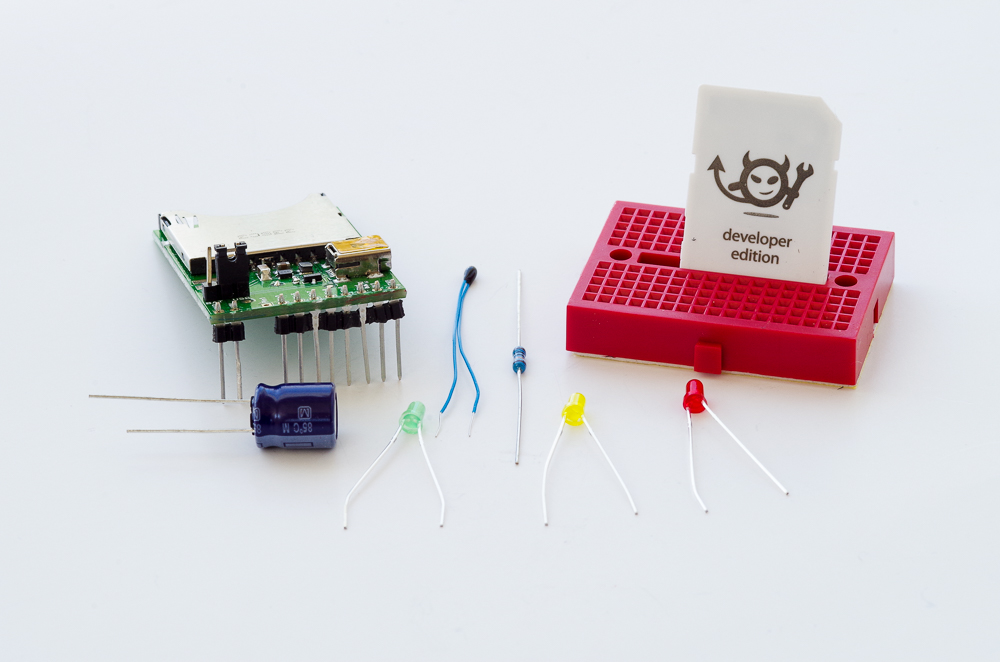
You’ve heard about the Internet of Things (IoT). C2 Consulting has put together a hands on lab where you’ll get to build an IoT thermostat from electronic components and hook it up to to REST components in an Oracle Database and then control everything from an APEX application.

 Cars and Code