Category Archives: Oracle Database

The definitive answer to the ID vs TABLE_ID debate

This is a generated image showing two tables with surrogate keys, one with the surrogate key named ID and another with the surrogate key named TABLE_ID. The is a box below the tables with the text "ID vs TABLE_ID".

Few debates in database design spark as much disagreement as what to name a surrogate key. There has been a debate over the years about the name of that column, and it generally falls into two choices:

  1. Every table that has a surrogate key should name the column ID.
  2. Every table that has a surrogate key should name the column TABLE_ID.

I have very strong opinions about this debate, born out of over 35 years of building database-backed business applications.

My sincere belief is that every surrogate key should be prefixed with the table name. No, I’m not going to fall for the straw man argument that any of the other columns in a table should be prefixed with the table name. The surrogate key is special.

The ID folks try to make some of the following arguments:

  1. It is short and universal. You don’t have to think as much.
  2. If you are using an ORM (Object-Relational Mapping framework like Hibernate for example), you don’t have to do the incredibly simple thing of updating the ORM to expect table_id instead of just id, because most ORMs default to just ID. Of course, they don’t say it that way; they just say “Our ORM expects ID.”.
  3. We already have tables that just use ID, so we should stick to that standard.

And.. That’s it. Now, sometimes folks will talk about already having to prefix column names in select clauses, and employee.employee_id is redundant, but the reality is that you are almost certainly going to alias the employee table name as either e or maybe emp, you’re never really going to type employee.employee_id.

So, why are the ID folks wrong?

To me, the biggest, most fundamental thing is this:

You have a thing in the database, and you are calling it two different names depending on where it is located

If we have an employee table with an ID column as a surrogate key, whenever we use that surrogate key in another table as a foreign key, we typically put the table name in front of it. So ID in the employee table, and then EMPLOYEE_ID as a foreign key in any table related to the employee table.

If we call this thing EMPLOYEE_ID in the employee table and EMPLOYEE_ID whenever we use it as a foreign key (and yes, I am aware this thing could have another name when used in a different context, for example, MANAGER_ID), then it has the same name everywhere it is used.

It also goes the other way, in that you have hundreds of things named ID, but they are all different things in different tables.

This puts to rest the “It’s short and universal, you don’t have to think as much” argument because you end up thinking more every time you access the table joined to another table.

I strongly believe that the ID to EMPLOYEE_ID naming convention is a cognitive tax that must be paid over and over again.

However, there are a host of other reasons why table_id is the right way to go…

ID as a surrogate key means you are unable to join tables with a USING clause

I totally understand that some people don’t like the USING clause, but I find it very nice.

select ...
  from department d
  join employee e using(department_id);

The above is much cleaner, contains fewer opportunities for mistakes, and is easier to read compared to the below.

select ...
  from department d
  join employee e on d.id = e.department_id;

There are so many ways to make mistakes in the 2nd statement compared to the first statement. Now make this an 8-way table join, and the fun just compounds!

Clarity in queries

Surrogate key names now carry meaning without qualification, which is great in SQL, views, etc.

Self-joins are clearer

where manager_id = employee_id

reads better than

where manager_id = id

Bridge tables read naturally

Associative tables like employee_project(employee_id,project_id, ...) are self-documenting and enable USING clauses in both directions.

Grepability/searching/diagnostics is much easier

Searching logs or code for where a given entity flows is much harder if every table has a column named ID. Sometimes ID means EMPLOYEE_ID, sometimes ID means DEPARTMENT_ID, etc.

REST APIs and JSON payloads are going to read better

Your API contracts and/or JSON payloads are probably going to use EMPLOYEE_ID and DEPARTMENT_ID anyway.

But wait, what about our tables that already use ID?

We’ve already discussed the cognitive tax when using ID, and, given the choice, I’d remove that cognitive tax on all new tables in the database. With old tables that used ID, there are some choices:

  1. Bite the bullet and do the rename of the column, and then update all your applications (APEX makes this pretty easy to find and replace those references) and source code (ALL_SOURCE & ALL_VIEWS). This could be a big project, but the tools are all there. You could do a big bang approach and do everything at once, or do it over time, table by table.
  2. Create a view on top of the legacy tables that does the rename of the ID column to TABLE_ID, and have new applications and code use the view.
  3. Rename the table and the column, and then create a view on top with the old table name that maintains the legacy ID name.

In conclusion

The surrogate key naming decision may seem small at first, but in practice, it touches every query, every log, every API contract, and more. Prefix your surrogate keys (and ONLY your surrogate keys). Your future self, your team, and your database will thank you.


About those auditing columns… a change in perspective.

I’m a bit of a database pureist. I believe that if you are building a system that will capture information for a business or organization, and that information matters to the business, then you should build the tables that will support the insert, update, and delete of information in third normal form (at least, there are additional normal forms) and the best way to figure out how those tables should be built is to work directly with the business by building an Entity Relationship Diagram (note: a Table Diagram is NOT an ERD!) and getting business by-in before you start creating tables.

A frequent business requirement is “We’d like to know by who and when information was created or updated.” Traditionally, we have added four columns to our tables to do this: CREATED, CREATED_BY, UPDATED, and UPDATED_BY. As an aside (I have a feeling there will be a lot of them in this post), I despise when folks do CREATED_DATE, and UPDATED_DATE. You don’t do NAME_VARCHAR2!

Oracle Quick SQL, built into Oracle APEX, builds these same traditional columns on your tables if you ask it to, and then they build a BUI (before update or insert) trigger on the table. Note, I think that a BUI trigger is “wrong” since we’ve had compound triggers in the database since Oracle 11g, and that every table that has normal triggers (basically, if you are not using Edition Based Redefinition) should only have a single trigger, and it should be a compound trigger.

That said, quick SQL builds a trigger that looks like this:

create or replace trigger employee_biu
    before insert or update
    on employee
    for each row
begin
    if inserting then
        :new.created := sysdate;
        :new.created_by := coalesce(sys_context('APEX$SESSION','APP_USER'),user);
    end if;
    :new.updated := sysdate;
    :new.updated_by := coalesce(sys_context('APEX$SESSION','APP_USER'),user);
end employee_biu;
/

As a purist, I have always hated that the trigger always populates the UPDATED and UPDATED_BY columns even on the first insert. To me, those columns should only be populated if the row was actually updated, since that is the name of the columns. By populating them all the time, if you want to answer the question “How many rows have actually been updated?”, you will need to compare (let’s use a table with a hundred million rows) a hundred million values:

select count(*)
  from sometable
 where created != updated;

In addition, you are going to store extra stuff that you don’t really need. Instead, I believed (notice the past tense!), those columns should be nullable and should only be populated if you actually update the column. A hundred million row table with only seven updated rows and an index on updated would be worlds faster than a table that stores all these needless UPDATED and UPDATED_BY by values.

Now, because we have a nullable column, we do introduce the “issues” that come along with a nullable column. You’ll need to use NVL or, even better, COALESCE every time you look at the column, and if you forget, you can end up with bugs. The number of bugs that nulls give us in systems is pretty large. But, because you did things “right” (you didn’t needlessly populate a column that didn’t need to be populated), you would be aware of this, and you wouldn’t fall prey to those bugs.

However, a recent conversation with Anton Nielsen convinced me to update my perspective.

At first, Anton tried to make the argument that every insert is an update too. I wasn’t buying that argument at all. He, of course, brought up all the issues with a nullable column and indexes on virtual columns (Why not add a virtual column that is a COALESCE(UPDATED,CREATED) as LAST_TOUCHED?), etc. But the thing that really convinced me was this:

“In all my years of building applications the business people always ask ‘Who touched this row last?’, they never ask ‘How many rows were touched after they were created?’.”

Anton Nielsen

Maybe those columns should have been called LAST_TOUCHED and LAST_TOUCHED_BY (and, indeed, if you are going to populate them on insert, they really should be), but we can fix this by adding a comment to the UPDATED and UPDATED_BY columns:

comment on column employee.updated is 'Populated during row creation and whenever the row is updated. Effectively that makes this column the LAST_TOUCHED column.';

comment on column employee.updated_by is 'Populated during row creation and whenever the row is updated. Effectively that makes this column the LAST_TOUCHED_BY column. This is set to the current APEX user or the database user depending on the context.';

Let me know what you think.


Random account locks on Oracle 23ai and a potential solution for Oracle APEX

TLDR: I’ve been running into an issue where my Oracle Base Database on Oracle Cloud running Oracle 23ai appears to be ‘automatically locking accounts at random times’. To potentially prevent one of these random locks from stopping APEX from working, try this unsupported but working adjustment to your APEX_PUBLIC_USER account: alter user apex_public_user account unlock no authentication;

The background: My database is what is currently called on Oracle Cloud, an “Oracle Base Database”. Unlike the Oracle Autonomous Database, where you get a pluggable database in a container database that someone else manages, here you get full access to the database file system and full access to everything about the database (root container, full sys user access, etc.). I say “currently called” because we actually put this database on Oracle Cloud way back in Sept of 2021. That’s when this database was migrated from an on-premises Oracle Database Appliance to Oracle Cloud.

Oracle Cloud has changed a bunch since then, but overall, I couldn’t be happier with the migration. With Oracle Base Database, you “let” Oracle manage the software locations and database locations (Oracle uses Automatic Storage Management for the database and fast recovery area storage). Patches and upgrades (we started with 19c, but are now on 23ai) are straightforward and controlled at your own pace, implemented by simple choices in the Oracle Cloud UI.

For many years, this database “just worked”. The business ran its processes, and the APEX application we built for them just did its thing. On July 22nd, I got a call from the business saying “APEX isn’t working”. When I went and looked, the APEX_PUBLIC_USER account was locked. This is strange because there wasn’t a reason for the account to be locked. Nobody did anything. The database profile for the APEX_PUBLIC_USER has a password life time of unlimited, so it wasn’t a profile thing. I unlocked the account, APEX started working again, and life was good. An investigation into the unified audit trail didn’t show anything. This was a “mystery”. Anyone in tech would agree that a mystery isn’t good.

On August 11th, I got the same call. Again, the APEX_PUBLIC_USER account was locked. I again unlocked it. This time I did a bigger investigation with a coworker. He’s been struggling with the same random locking behavior for the APEX_PUBLIC_USER in his DEV, TEST, and PROD environments for the last 4 months (he’s had many Oracle SRs open and closed on this while he’s been bounced around various teams within Oracle, and his random locks have happened much more frequently than mine). As we looked at things, we realized that there is an amount of correlation between database patches being applied and accounts getting locked. It’s not exact, but here are some of the queries that we looked at:

  select cdb$name as container -- Awesome hidden colum on CDB_ views!
       , target_build_description
       , action_time 
    from cdb_registry_sqlpatch 
order by action_time desc;

  select username
       , cdb$name as container
       , lock_date
       , last_login
       , created
       , cu.* 
    from cdb_users cu 
order by cu.lock_date desc nulls last;

select cdb$name as container
     , cp.* 
  from cdb_profiles cp
 where resource_name = 'INACTIVE_ACCOUNT_TIME';

Obviously, if you don’t have access to the root container, you can change the above queries to use the DBA views in your own pluggable (or non-container) database if you eliminate the pdb_name column.

Something very interesting was that there were a LOT of accounts getting locked at the “same time”, but that time was different for different pluggable databases in the same container database.

I’ve got two “opportunities for future enhancement” logged against the APEX product and APEX documentation. This is the current slide in my latest (award-winning!) APEX & ORDS for DBAs and System Admins presentation (an earlier version of this can be found on YouTube).

A while back, I had shared that with my coworker, and he had implemented it in his dev and test environment:

alter user apex_public_user account unlock no authentication;

Since implementing this, he has not had the locking issue for the APEX_PUBLIC_USER his 23ai environments.

I went ahead and implemented this in DEV, TEST, and PROD. We’ll see what happens, and if any of the SRs my coworker has filed with Oracle Support get an actual resolution, I’ll update this post!


Oracle Database 19c Release Notes Doc Bug (Jan 2024)

What DALL-E thinks “Oracle Database Release Notes Documentation Bug” looks like

Update: In Feb 2024 Oracle updated the release notes to fix most of the below! They still have the un-needed export of the CV_ASSUME_DISTID, but they did add the steps about patching with the 19.22 patch during install and updating opatch. Thanks!

In January 2024, Oracle released a new version of the Oracle 19c release notes. They also released the 19.22 patchset for Oracle Database. The great news is that with the 19.22 release, Oracle has finally got the Oracle Database on-premises install on Oracle Linux 9 stuff knocked out. It works ‘out of the box’ now. However, if you look at the release notes and navigate to the section entitled “Known Issues and Bugs for Oracle Linux 9 and Red Hat Enterprise Linux 9“, and then navigate to the 19.22 subsection, you’ll see this:

And, well… It’s not really that simple. If you didn’t have 35 years of experience reading Oracle release notes, you might take that statement at face value. Things won’t go well for you if you did. Instead, you have to peer up at the 19.21 section to see the following steps (but of course you are installing 19.22, not 19.21, so you don’t need to pay attention to that section, right?):

Single-instance Oracle Database (19.21):

  1. Set the environment variable CV_ASSUME_DISTID to OL8 ($export CV_ASSUME_DISTID=OL8).
  2. Unzip the 19.3.0.0.0 Oracle Database gold image.
  3. Copy the OPatch utility version 12.2.0.1.40 or later from My Oracle Support patch 6880880 by selecting the 19.0.0.0.0 release.
  4. Install Single-instance Oracle Database with $ 19.3 on-prem_db_ image/runInstaller -applyRU <19.21 DBRU Patch 35643107 location> -applyOneOffs <19.21 MLR 35954820,19.21 OCWMLR patch 36022515 location>

That’s quite a bit different than the 19.22 section that says “No additional patches are required for installing Oracle Database 19c Release 19.22 on Oracle Linux 9 or Red Hat Enterprise Linux 9“.

Having just done a lot of testing of this on Oracle Linux 9, here’s what (in my opinion) the release notes should actually say in the Single-instance Oracle Database (19.22) section:

Single-instance Oracle Database (19.22):

  1. Unzip the 19.3.0.0.0 Oracle Database gold image to your ORACLE_HOME location (for example /u01/app/oracle/product/19.0.0.0/dbhome_1).
  2. Download the OPatch utility version 12.2.0.1.40 or later from My Oracle Support patch 6880880 by selecting the 19.0.0.0.0 release.
    $ cd /u01/app/oracle/product/19.0.0.0/dbhome_1
    $ rm -rf OPatch
    $ unzip -q /usr/local/src/oracle/patch_downloads/p6880880_122010_Linux-x86-64.zip
  3. Install Single-instance Oracle Database with
    $ /u01/app/oracle/product/19.0.0.0/dbhome_1/runInstaller -applyRU <19.22 DBRU Patch 35943157 location> -applyOneOffs <19.22 OCW Patch 35967489,19.22 OJVM Patch 35926646 location>

Some things to note:

  • With 19.22 you don’t need to modify the $ORACLE_HOME/cv/admin/cvu_config file or export the CV_ASSUME_DISTID environment variable to get the install to work correctly.
  • Even though you can now select the 19.0.0.0.0 “Release” of OPatch, you’ll actually get a version that is 12.X (see image below).
  • The OJVM patch is optional, but I like to see my opatch lspatches command look very clean (see below).
$ opatch lspatches

35926646;OJVM RELEASE UPDATE: 19.22.0.0.240116 (35926646)
35967489;OCW RELEASE UPDATE 19.22.0.0.0 (35967489)
35943157;Database Release Update : 19.22.0.0.240116 (35943157)

I’ve asked Oracle Support to log a doc bug against the release notes, once I get the bug number I’ll update this post with it.

Good luck with your 19.22 on Oracle Linux 9 installs!


ANSI vs. Oracle Proprietary SQL

On Tuesdays Cary Millsap runs a meeting for Method-R customers to chat about Oracle stuff. Often he has something prepared, but this Tuesday he didn’t. Doug Gault decided to share an image that finally helped him get his head around the ANSI SQL syntax. Doug has been around the Oracle world for a long time but he’s always been able to work with Oracle proprietary SQL so he never really learned the ANSI SQL syntax. Recently he got assigned to a project where ANSI SQL is mandated so he had to get everything straight in his head. He shared an image that he had created from some training and we all took a look at it. Me, being me, I immediately jumped in with what I thought would be improvements to the image. I was challenged to come up with a better image, and so, I created the below.

My hope is that this will help some folks move away from the horrible (in my opinion) Oracle propriety SQL syntax to the totally awesome ANSI SQL syntax. I think the Oracle syntax is horrible because where clauses in queries end up doing two things; joining table AND filtering rows. With the ANSI syntax, join clauses join tables and where clauses only filter rows.

A note on the above: I used the preferred USING syntax to join tables for the ANSI queries:

join using (deptno)

instead of the ON syntax to join tables

join on e.deptno = d.deptno

I believe this is easier to read and understand and, in general, less code is better code, and this is smaller. If you use the USING syntax just note that you no longer associate the column with one table or another in the other clauses (like SELECT or WHERE) but instead leave it unconstrained. For example:

select deptno, e.ename, d.dname
  from emp e
 join dept d using (deptno)
where deptno > 20;

If you were to qualify the DEPTNO column in either the select clause or the where clause (d.deptno for example) you’d get an ORA-25154: column part of USING clause cannot have qualifier message.

Let me know if this is helpful for you!


It Finally Happened For Me!

I’ve been working on an upgrade of Oracle Database on Windows. Despite working with Oracle Database for over 30 years, I really never spent a whole lot of time working on a Windows server. Unix, Solaris, Linux, heck even AIX, oh yeah. Windows, not so much.

While attempting to patch a brand new software-only install of Oracle 19c from the original 19.3 up to 19.21 I kept on getting UtilSession failed: Prerequisite check “CheckActiveFilesAndExecutables” failed during my opatch apply. It appeared that the JDK home in my ORACLE_HOME was in use. Of course, this didn’t make any sense since there wasn’t anything running out of this home.

Here’s what I was seeing:

Following active files/executables/libs are used by ORACLE_HOME: c:\app\oracle\product\19.0.0.0\dbhome_1

c:\app\oracle\product\19.0.0.0\dbhome_1\jdk\bin\java.exe
c:\app\oracle\product\19.0.0.0\dbhome_1\jdk\jre\bin\java.dll
c:\app\oracle\product\19.0.0.0\dbhome_1\jdk\jre\bin\management.dll
c:\app\oracle\product\19.0.0.0\dbhome_1\jdk\jre\bin\msvcr100.dll
c:\app\oracle\product\19.0.0.0\dbhome_1\jdk\jre\bin\net.dll
c:\app\oracle\product\19.0.0.0\dbhome_1\jdk\jre\bin\nio.dll
c:\app\oracle\product\19.0.0.0\dbhome_1\jdk\jre\bin\server\jvm.dll
c:\app\oracle\product\19.0.0.0\dbhome_1\jdk\jre\bin\verify.dll
c:\app\oracle\product\19.0.0.0\dbhome_1\jdk\jre\bin\zip.dll
c:\app\oracle\product\19.0.0.0\dbhome_1\jdk\jre\lib\ext\cldrdata.jar
c:\app\oracle\product\19.0.0.0\dbhome_1\jdk\jre\lib\ext\localedata.jar
c:\app\oracle\product\19.0.0.0\dbhome_1\jdk\jre\lib\ext\zipfs.jar
c:\app\oracle\product\19.0.0.0\dbhome_1\jdk\jre\lib\jsse.jar
c:\app\oracle\product\19.0.0.0\dbhome_1\jdk\jre\lib\rt.jar
c:\app\oracle\product\19.0.0.0\dbhome_1\jdk\bin\java.exe
c:\app\oracle\product\19.0.0.0\dbhome_1\jdk\jre\bin\java.dll
c:\app\oracle\product\19.0.0.0\dbhome_1\jdk\jre\bin\management.dll
c:\app\oracle\product\19.0.0.0\dbhome_1\jdk\jre\bin\net.dll
c:\app\oracle\product\19.0.0.0\dbhome_1\jdk\jre\bin\nio.dll
c:\app\oracle\product\19.0.0.0\dbhome_1\jdk\jre\bin\verify.dll
c:\app\oracle\product\19.0.0.0\dbhome_1\jdk\jre\bin\zip.dll
c:\app\oracle\product\19.0.0.0\dbhome_1\jdk\jre\bin\server\jvm.dll
c:\app\oracle\product\19.0.0.0\dbhome_1\jdk\jre\lib\jsse.jar
c:\app\oracle\product\19.0.0.0\dbhome_1\jdk\jre\lib\rt.jar
c:\app\oracle\product\19.0.0.0\dbhome_1\jdk\jre\lib\ext\cldrdata.jar
c:\app\oracle\product\19.0.0.0\dbhome_1\jdk\jre\lib\ext\localedata.jar
c:\app\oracle\product\19.0.0.0\dbhome_1\jdk\jre\lib\ext\zipfs.jar

Why were they in use? Why were they listed twice? What Windows process had a lock on them? I couldn’t figure it out.

I reached out to the system admins for the Windows box to learn that the machine had anti-virus software. Pete Magee has a very well-written blog post about running anti-virus software on your Oracle Database server. Of course that was it! I got them to turn it off, but it didn’t fix the issue. Same exact error, same exact message.

Time for drastic measures. I downloaded IObit’s Unlocker program (use at your own risk) and used it to look at the files. It was showing no locks on any of those files, but I went ahead and unlocked them anyway. Of course this was it. This had to fix it… Nope! Still broken.

In desperation, I reached out to Oracle Support. And that’s when it finally happened for me. Support generated this:


My Oracle Support has performed a Knowledge search using your Service Request details (Summary, Error codes, Product) and located the following documents which may be related to your issue.

Search Results
====================================================================================
99% - Doc ID 2507120.1 Opatch 11.2.0.3.20 : Applying PSU/Windows BP fails with:'To run in silent mode, OPatch requires a response file for Oracle Configuration Manager (OCM)', 'error code = 73'
99% - Doc ID 1475147.1 OPatch - Failed to load the patch object. Possible causes are: OPatch failed with error code = 73 LsInventorySession failed:
99% - Doc ID 2950970.1 opatch apply fails with Error:" Prerequisite check "CheckActiveFilesAndExecutables" failed" on $oracle_home/jdk files
99% - Doc ID 1472242.1 Applying Patch Fails as Copy Failed for crsctl.bin as EM dbconsole was not Stopped
99% - Doc ID 2978449.1 "opatch util verify" reports OUI-67073:UtilSession failed: Files are not updated completely & OUI-67124:Files check failed: Some files under oracle_home are not patched , after applying RU Patches

Wait… That third Doc ID looks exactly like my error. I took a look and started reading and while it didn’t match my situation, it did mention the problem. Someone had downloaded opatch for the wrong platform. Could I really have done that? You betcha! (been watching a lot of Fargo with my wife, and “Minnesotan” is very catchy).

I got a new version of OPatch, this time for Windows instead of for Linux and you know what? Everything worked just fine.

In over 30 years of using Oracle Support, this is the first time I’ve ever had the “Oracle Support did a search and we found these documents” actually have the solution to my problem!

Happy New Year and Happy DBAing!


Oracle 19.15 upgrade not working with TDE Wallet

TLDR

It appears that the physical contents of the cwallet.sso and ewallet.p12 files changed enough between Oracle 11 and Oracle 19 that the Oracle 19.15 (19.21 was also tested) binaries no longer liked the physical contents of the TDE wallet files even though the logical contents were correct. Overwriting the existing contents of the old “Oracle 11 style” wallet files with the Oracle 19 binaries with the exact same logical contents allowed the database to work as expected. This happened somewhere between Oracle 19.8 (old Oracle 11 style wallet works fine) and Oracle 19.15.

The Problem

Recently we had an interesting situation where a database that had been upgraded over the years, from Oracle 10 to eventually Oracle 19.8, wouldn’t upgrade to 19.15 cleanly. Once the ORACLE_HOME binaries had been updated to 19.15 (datapatch had yet to be applied) the database would only open in restricted mode and the following message would appear in the alert logs:

ALTER DATABASE OPEN detects that an encrypted tablespace has been restored but the database key has not been activated, or the database has been flashback'ed prior to first set key of the master key (pdb 0).
Database is open in RESTRICTED MODE only.
Please select the latest master key from V$ENCRYPTION_KEYS and execute ADMINISTER KEY MANAGEMENT USE KEY command, and restart the database

We could force the database to open in read write, and then run datapatch and everything would appear to work correctly, but this seemed kind of buggy because any bounce of the instance would still cause the database to open in restricted mode with the same error message in the alert log and we’d have to repeat the force to read write mode again.

This behavior was very strange because there was only a single TDE (Transparent Data Encryption) key in the wallet and it was obviously working just fine with the Oracle 19.8 binaries. However, if you looked into the data dictionary, you’d notice that the creation date and activation date in the old wallet were both NULL and there was also a NO value for masterkey_activated in the data dictionary even though the master key was very obviously activated since we could read and write to encrypted tablespaces just fine.

Some Details

  • The database name is going to be orcl, and it will be a standalone database, not a pluggable database in a container database.
  • The database was created a long time ago as an Oracle 10 database, upgraded to Oracle 11 at which point the transparent data encryption wallet was added and an encrypted tablespace was created using Oracle 11.1 binaries (which was when TDE for tablespaces was first introduced).
  • The database has an encrypted tablespace with a bunch of tables in it.
  • The database has a TDE wallet (located here: /u01/app/oracle/admin/orcl/tde_wallet) with the two important files: ewallet.p12 which, of course, contains the actual TDE key and is secured with a password (oracle_4U which, of course, is a bad TDE wallet password because you want your TDE keys file to be pretty secure), and the cwallet.sso file which contains an encrypted version of the oracle_4U password needed to read the ewallet.p12 file). The important detail for these two files is that they were created with Oracle 11.1 binaries which appears to have less information in them than if they were created with the Oracle 19 binaries.
  • The database is open and the wallet is open with a wallet_type of AUTOLOGIN.
  • All SQL commands were entered using a bequeath connection on the database server (sqlplus / as sysdba).
  • Almost certainly this bug exists because the v$encryption_keys view has a NULL for activation_time and the v$database_key_info view has NO as the value for masterkey_activated. These values appear to be read directly from the ewallet.p12 file and it appears that the Oracle 11.1 binaries never set those values in the ewallet.p12 file.

The Fix

For some operations with a TDE wallet, it appears you need to have a password based wallet type and not an auto_login based wallet type. Since our database is currently open with an auto login wallet, we’ll close the wallet and re-open it as a password based wallet. You may not need to move the old cwallet.sso file, but we moved the cwallet.sso file to old.cwallet.sso before we did the below command. The DBA had backed out the 19.15 binaries, so all of the below commands were done with the 19.8 binaries.

SQL> administer key management set keystore close;

We didn’t need to supply a password when closing the wallet because it is currently an autologin wallet.

Next, we’ll open the wallet using a password.

SQL> administer key management set keystore open identified by oracle_4U;

A query against v$encryption_wallet will now show a status of OPEN and a wallet_type of PASSWORD. We can now modify the wallet to contain the exact same logical contents that it currently contains. We’ll first find the key that is currently in use. In our case there was only a single key since the key had never been rotated. If you’ve rotated keys in the past, make sure to choose the currently activated key which is the one in v$encryption_keys with the highest creation_time or activation_time. Interestingly with the old 11.1 wallet, both these values were NULL, which is almost certainly why this bug exists in the first place (apparently, even Oracle can make mistakes with NULLs!).

SQL> select key_id, creation_time, activation_time from v$encryption_keys;

Now, using the key from above, we’re going to ‘update’ the wallet to use the exact same key that it’s already using. Note that you’ll enclose the key in ticks since it’s a literal value.

SQL> administer key management use key 'TheKey_IDValueFromTheQueryAbove' identified by oracle_4U with backup;

The ‘with backup’ clause automatically saves the previous version of the ewallet.p12 file and renamed it to include the current date and time. It was at this point that we noticed that the new ewallet.p12 file which contained the exact same key as the older ewallet.p12 file had grown in size. On our system, we went from an old file size of 1573 bytes to new file size of 2987 bytes.

Additionally, a query against v$encryption_keys showed that our previously NULL activation_time was now set to the time the previous command was run. And v$database_key_info now had the correct value of YES for masterkey_activated.

Our next step was to recreate the cwallet.sso file using the newly created ewallet.p12 file.

SQL> administer key management create auto_login keystore from keystore '/u01/app/oracle/admin/orcl/tde_wallet' identified by oracle_4U;

If you check the file size of the new cwallet.sso file (remember, we had moved our old one before so we could open the wallet with a password) against the old file you should notice that the new file is larger than the old one even though, again, it contains the exact same logical contents as the previous file (the encrypted oracle_4U password). On our system the old cwallet.sso file was 1883 bytes and the new cwallet.sso file was 3032 bytes.

Now a query against v$encryption_wallet still shows us that the wallet type is PASSWORD. Interestingly we can change this to AUTOLOGIN while keeping the wallet open with the following command.

SQL> administer key management set keystore close identifed by oracle_4U;

One would sort of expect this to actually close the wallet, but instead, it doesn’t close the wallet, it just updates the wallet_type column of v$encryption_wallet from PASSWORD to AUTOLOGIN.

At this point, one of the DBAs noticed that the fully_backed_up column in v$encryption_wallet was still NO. This is because although we had backed up our previous wallet key file, we had yet to back up the current version of the wallet key file (remember, this is the ewallet.p12 file). Just for fun (or was it just to be pedantic?) we did that next.

SQL> administer key management backup keystore force keystore identified by oracle_4U;

While logically our wallet file contents hadn’t really changed at all (one key in the ewallet.p12 and one password in the cwallet.sso), the updated wallet files created with the 19.8 binaries allowed our upgrade from 19.8 to 19.15 to go exactly as expected and we didn’t get a repeat of the database opening in restricted mode, almost certainly because the activation_time in the ewallet.p12 file for the key was no longer NULL.

Happy DBAing!


Finding Unindexed Foreign Keys in Oracle

Update: There is a new better version of the query here: https://carsandcode.com/2025/08/13/finding-unindexed-foreign-keys-in-oracle-now-with-even-better-index-creation-ddl/

I’ve always been a bit unhappy with most (all?) of the queries you find when searching for “Oracle unindexed foreign keys query” on Google. Certainly, the ones that don’t use listagg to aggregate the constraint columns and the index columns are insane. I realize those queries might have been around since before listagg was available, but listagg was introduced in 11gR2 which was released in 2009.

To that end, the following 33 line query will find all the possibly unindexed foreign key constraints in your database. Since the matching happens on the column names, if you have a difference in column names between the constraint columns and the index columns, you won’t get a match and it will show up in the results as ‘Could be missing’. 99.99 times out of a hundred the index is missing.

I’ve also added the number of rows and last analyzed date from DBA_TABLES (remember, this number of rows may not be accurate as the value is only updated when the table is analyzed) so that the biggest possible offenders would be the first results. Even if the number of rows is small and the statistics are up to date, you’ll pretty much always want to have that foreign key index to eliminate over-locking the detail rows when a master row is updated. In all my years I’ve yet to run across a business application where the ‘index caused too much overhead’ and needed to be removed. I’m not saying those situations don’t exist, but they are exceedingly rare.

If you want to see how Oracle is doing with its schemas, you could change the owner_exclusion_list CTE (Common Table Expression, sometimes called a WITH clause) to something like “select ‘nobody’ from dual’). Right now that CTE gets the list of schemas that are Oracle maintained and adds in the ORDS_METADA and ORDS_PUBLIC_USER schemas which are, for some reason, not marked as Oracle maintained.

Using an APEX page to display the results of the query also allows me to format the last analyzed date using APEX’s “since” formatting, which gives a really good indication of possible stale statistics.

Update: Again, there is a new, better version of this query here: https://carsandcode.com/2025/08/13/finding-unindexed-foreign-keys-in-oracle-now-with-even-better-index-creation-ddl/

     with owner_exclusion_list as (          select username from dba_users where oracle_maintained ='Y'
                                   union all select 'ORDS_METADATA' from dual
                                   union all select 'ORDS_PUBLIC_USER' from dual )
        , constraint_columns as ( select owner
                                       , table_name
                                       , constraint_name
                                       , listagg(column_name, ', ') within group(order by position) as constraint_column_list
                                    from dba_cons_columns 
                                    join dba_constraints using (owner, table_name, constraint_name)
                                   where constraint_type = 'R' -- R = Referential Foreign Key Constraint
                                     and owner not in (select * from owner_exclusion_list)
                                group by owner, table_name, constraint_name )
        , index_columns as ( select index_owner as owner
                                  , table_name
                                  , index_name
                                  , listagg(column_name, ', ') within group(order by column_position) as index_column_list
                               from dba_ind_columns 
                              where index_owner not in (select * from owner_exclusion_list)
                           group by index_owner, table_name, index_name )
   select decode(ic.table_name, null, 'Could be missing'
                                    , 'Exists'          )              as foreign_key_index
        , to_char(dbat.num_rows, '999,999,999,999,999,999')            as last_analyzed_row_count
        , dbat.last_analyzed
        , cc.owner
        , cc.table_name
        , constraint_name                                              as foreign_key_constraint_name
        , constraint_column_list                                       as foreign_key_column_list
        , coalesce(index_name, '*** Possible Missing Index ***')       as index_name
        , coalesce(index_column_list,'*** Possible Missing Index ***') as index_column_list
     from constraint_columns cc
     join dba_tables dbat on ( dbat.owner = cc.owner and dbat.table_name = cc.table_name)
left join index_columns ic on (    cc.owner = ic.owner and cc.table_name = ic.table_name 
                               and ic.index_column_list like cc.constraint_column_list || '%' )
 order by dbat.num_rows desc nulls last, cc.owner, cc.table_name, constraint_column_list;

Update: And again, there is a new better version of this query here: https://carsandcode.com/2025/08/13/finding-unindexed-foreign-keys-in-oracle-now-with-even-better-index-creation-ddl/

Let me know if this query is helpful, and happy DBAing/Developing!

Note: On my Twitter post about this blog, I took a screenshot and put in the alt text for the image with the username column in the first CTE as ‘username’ instead of just username. This means that the Oracle maintained schemas are NOT excluded anymore. I was testing on a database that only had a single schema and wanted to include the Oracle schemas too. I also left off the owner column for the list in the final query.

2024-02 Update: As my friend Anton Nielsen pointed out, not everybody has DBA privs… If you don’t, just do a search and replace of “dba_” with “all_”. Then you can run this as a non-privileged user and you’ll be sure to capture missing indexes in your own schema and any other schema you can see.


Why haven’t you moved to AL32UTF8 yet?

Hey DBAs! Run this query on your database:

select value as character_set
  from nls_database_parameters
 where parameter = 'NLS_CHARACTERSET';

CHARACTER_SET
________________
AL32UTF8

If you see anything other than AL32UTF8 as the answer to the above query, then you should be building a plan to get from whatever character set your database is currently running to Unicode (AL32UTF8). While this can seem daunting, Oracle actually provides a great tool to assist with the process called the Oracle Database Migration Assistant for Unicode (DMU).

DMU will show you if your database will have any issues when you migrate from your legacy character set to Unicode. As you can see from the splash screen above “Oracle recommends using Unicode as the database character set for maximum compatibility and extensibility“. Oracle strongly suggests that all new databases should be created using AL32UTF8 and that legacy databases created in the past should be migrated to AL32UTF8.

A great time to think about a character set upgrade is during a database upgrade. If you are planning on a 19c upgrade (and we should really be there already today, but, of course, “should” and “are” are two different words for a reason) or potentially even 23c when Oracle releases it soon, and your current character set isn’t AL32UTF8 then now is the time to plan the migration!

Here’s a real-life DMU story:

A customer of mine had a database that had been created on Solaris in the late ’80s and they had used whatever the default character set was at the time, which is really what everyone was doing back then. In 2013 we decided to upgrade the database to 12.1 and change the character set during the upgrade. The fear was that this was going to be a big problem and we came up with all kinds of plans on how to fix the various issues (data cleansing, adjusting column widths on tables, etc.) However, after talking about all the potential issues, we actually ran the DMU and it showed us that the problem was much smaller than we thought. We only had about 30 rows of data that could have an issue during the migration!

After checking with the business, we just went into the 30 rows and cleaned up the data. A few “do not”s got changed to “don’t”, saving a single character which was all we needed.

Today, I talk to folks about using DMU to check their databases before they decide that “the problem is too big”. DMU will sometimes show that the problem either doesn’t exist, or it’s very small.

As an aside:

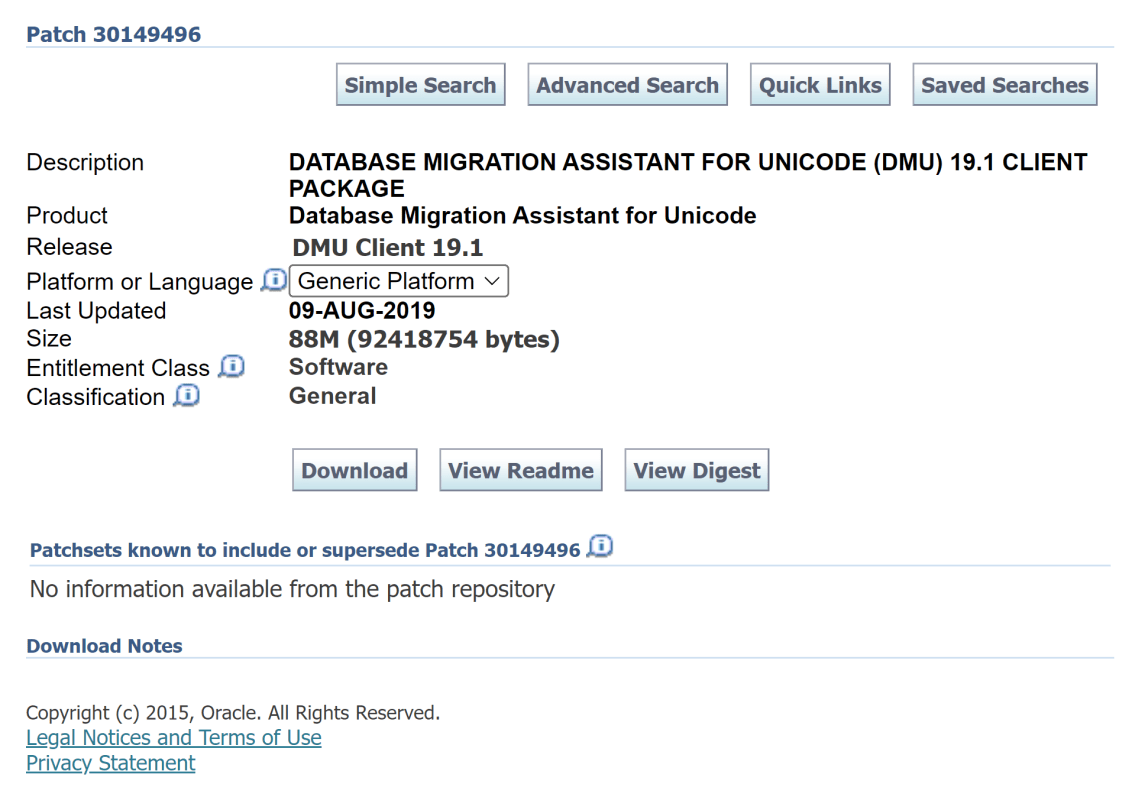
Today I did an install of DMU on a server using the download of DMU from Oracle Support. After extracting the zip file on my Oracle Linux box into /opt/oracle/dmu, I noticed that the dmu.sh script was read-only. A simple chmod u+x on the dmu.sh script enabled me to start it up without any issues.

[oracle@databaseserver DB:dbacon /opt/oracle/dmu]
$ ./dmu.sh
-bash: ./dmu.sh: Permission denied

[oracle@databaseserver DB:dbacon /opt/oracle/dmu]
$ chmod u+x dmu.sh

[oracle@databaseserver DB:dbacon /opt/oracle/dmu]
$ ./dmu.sh

   Database Migration Assistant for Unicode
 Copyright (c) 2011, 2019, Oracle and/or its affiliates. All rights reserved.

My Oracle Database Server PS1 Environment Variable

Today I was doing some tricky remote troubleshooting of an ORDS deployment. It turned out that it was the networking team doing fun stuff with the removal of cookies from only one of the multiple load-balanced devices between the users and the ORDS server (99% sure of this, we’ll see later if I was right). Since this stuff can be almost impossible to figure out without sniffing packets and/or visibility into the whole network configuration, a good trick to remember is to just deploy ORDS standalone on the desktop of the user attempting to troubleshoot things. If it works on their desktop, then it’s almost certainly the networking team doing something funny between the users and the application servers.

During the whole troubleshooting session, where the DBA was typing in all the commands as I dictated them (so much fun!), the DBA was constantly typing pwd. This post is for that DBA.

I’ve added the following line to my .bash_profile on all my Oracle database servers:

export PS1='\n[\u@\h DB:$( echo $ORACLE_SID ) \t \w]\n\$ '

PS1 is the environment variable that controls what your prompt looks like.

Mine has the following:

\n = a new line. This means that all of my commands have some nice whitespace (although I use green on black, so is that blackspace?) between them.

[ = the starting bracket for my prompt.

\u@\h = username@hostname

DB:$( echo $ORACLE_SID ) = Each time a new prompt is generated, find the value of the $ORACLE_HOME environment variable and display it with a DB: in front of it. It took me a bit to figure out how to get this to evaluate every time a new prompt was drawn. For my middleware servers, I leave this portion off. I suppose if your middleware server talks to only a single database, you could just hardcode it into the prompt.

\t = the current time

\w = the current working directory. No more typing pwd every other command!

] = the ending bracket for my prompt.

\n = another new line. This allows your actual command prompt to always start on the left side of the screen instead of constantly moving across the screen as you navigate down directory paths.

\$ = print the normal prompt. Notice that there is a space before the closing ‘ so that commands are not jammed up against the prompt.

Hopefully, an Oracle DBA or two out there finds this useful!

Happy DBAing!

#joelkallmanday